Your library follows you
Pictures and clips you make signed in are kept with your account. Make one on your phone and it is waiting in Quanta Sync and on the web.
 QUANTA
The Quanta family
The web app, a workspace for Windows and Mac, your phone and your browser — the same account, the same library of pictures and clips, the same conversations, and the same Code of Ethics in every one of them.
Get Quanta
Start anywhere. Sign in once, and everything you make follows you to the rest.
One account, one memory
Pictures and clips you make signed in are kept with your account. Make one on your phone and it is waiting in Quanta Sync and on the web.
Chats sync between the web and your phone, so a thread started on the bus carries on at your desk.
Set your profile picture on any device and every other one shows it. One plan and one set of meters, wherever you use them.
Every Quanta model carries the Foundational Code of Ethics, and pictures are checked before anyone sees them — on every device alike.
Quanta Sync · Windows and Mac
Talk to Quanta or any provider you hold a key for, make pictures and video, build with an agent in a real IDE, and see what all of it costs — in one window, on your own machine.
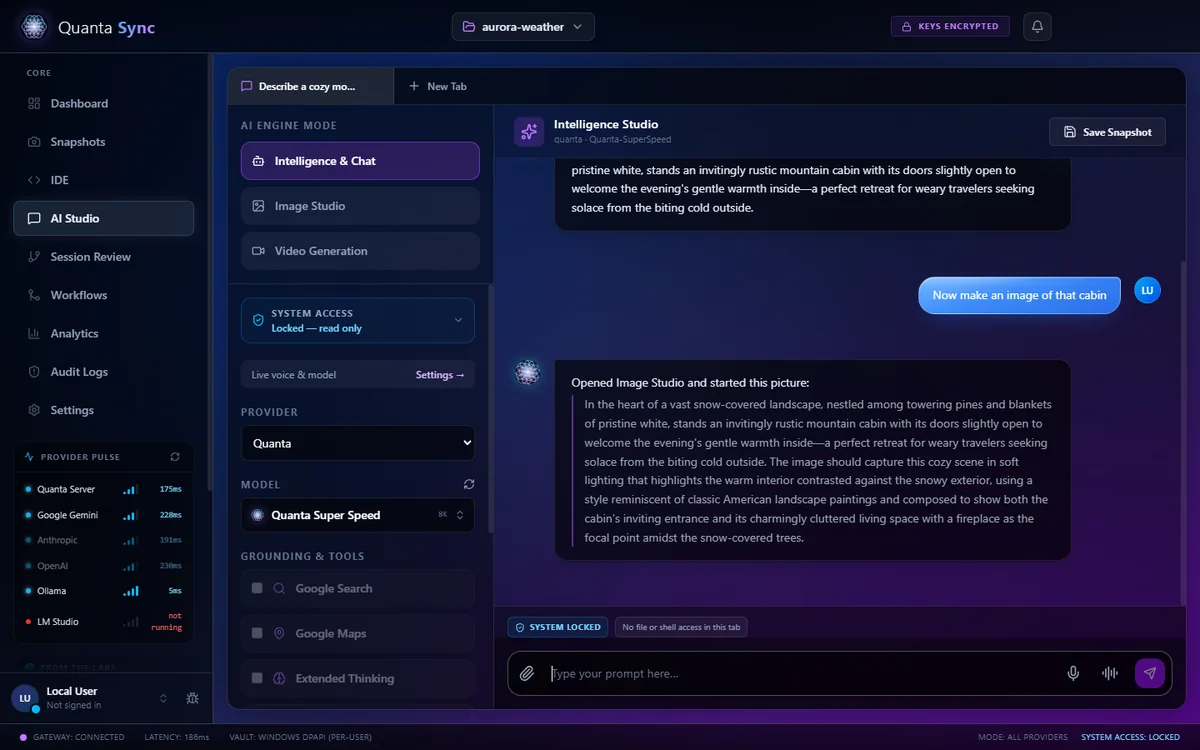
AI Studio
Sign in and Quanta's own models answer through your account, with the same plan and meters you have on the web and the phone. Add your own keys and Gemini, Claude and OpenAI stream from the same window — or run Ollama and LM Studio with nothing leaving the machine.
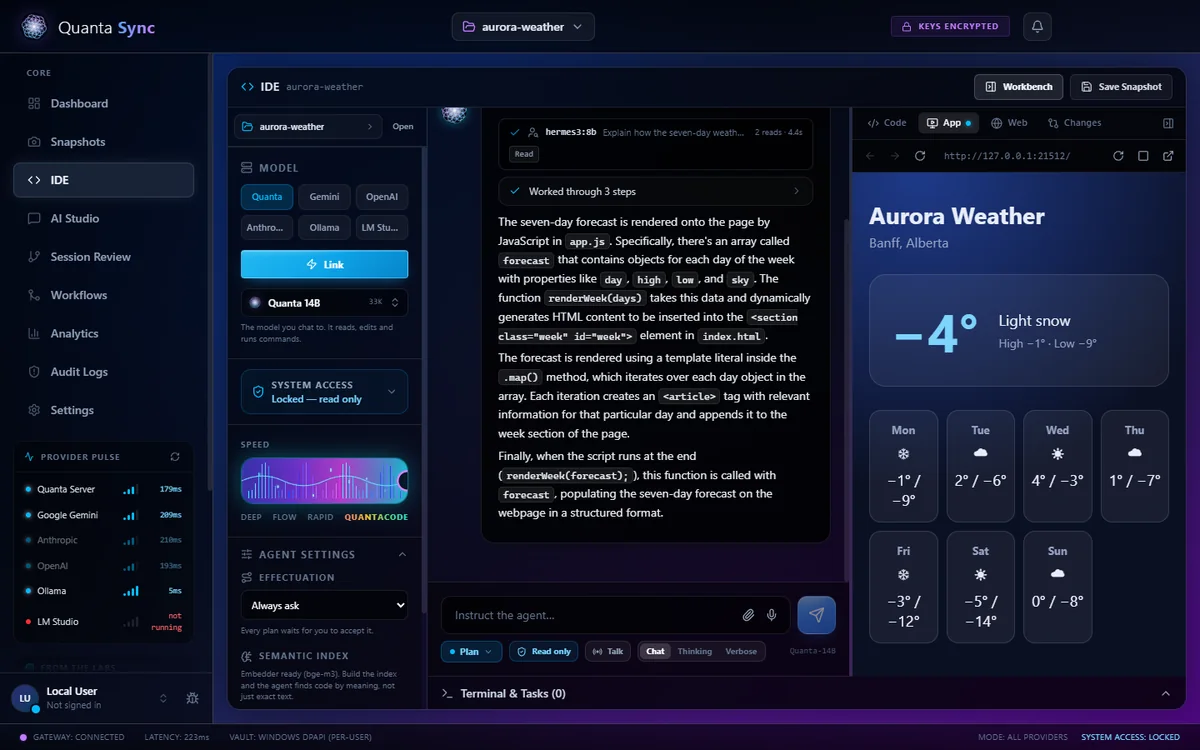
IDE
A file explorer, the Monaco editor and a terminal, with an agent that reads, edits and runs commands in your actual folder. Drive it with QuantaCode and its 233,000-token context, any provider, or a local model. The workbench opens beside it with the code, a live preview and every change.
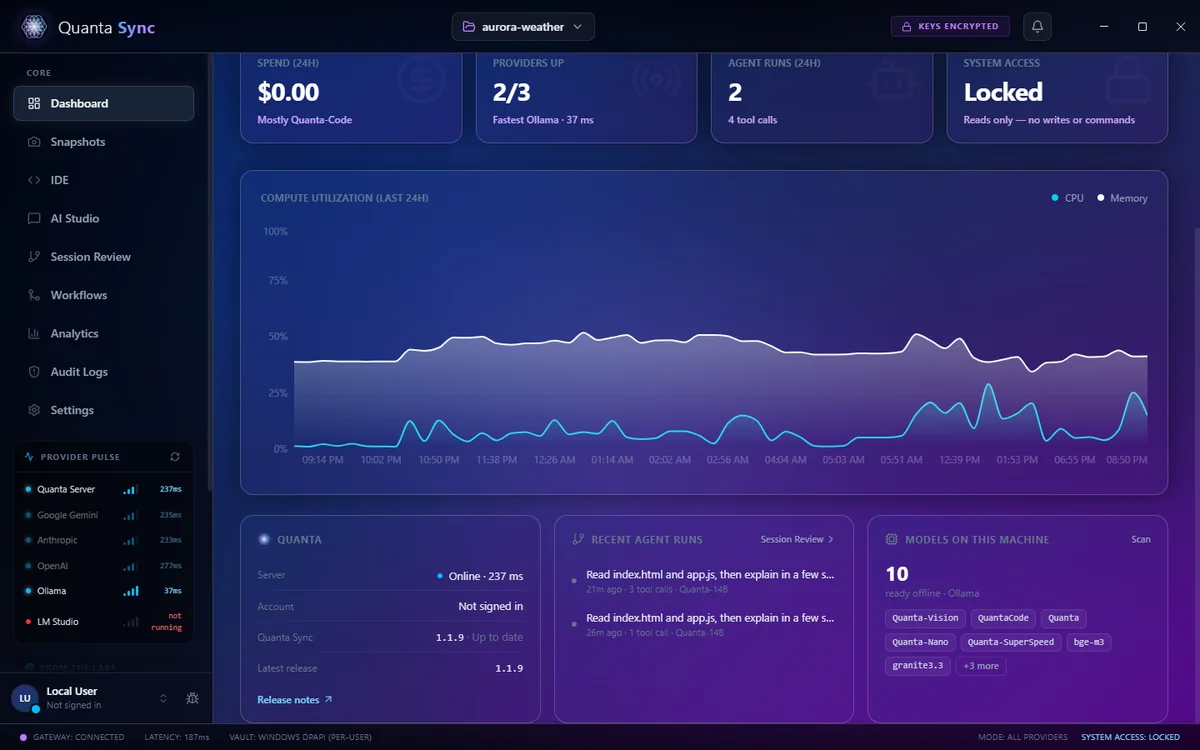
Dashboard & Analytics
Quanta's server, your account, the version and its updates, the agent's recent runs and every model ready on this machine. Analytics adds tokens, latency and spend per model, recorded from your own requests and exportable.
Your own API keys are sealed in the system vault (Windows DPAPI, or the Keychain on a Mac) and go straight to the provider you pick. The window only ever sees the last four characters.
One switch refuses every cloud call — Quanta's included — at the app's boundary. Ollama and LM Studio keep working, and the editor needs no network at all.
Enrol your voice and the agent's most dangerous actions — deleting files, risky commands — need a live voice match first, checked on your machine.
New versions download in the background and one click relaunches into them. Every release is listed below.
Quantalize · Windows
A full music studio for Windows: record, arrange, mix and export. The assistant beside it measures and suggests, and nothing in your project changes until you click.
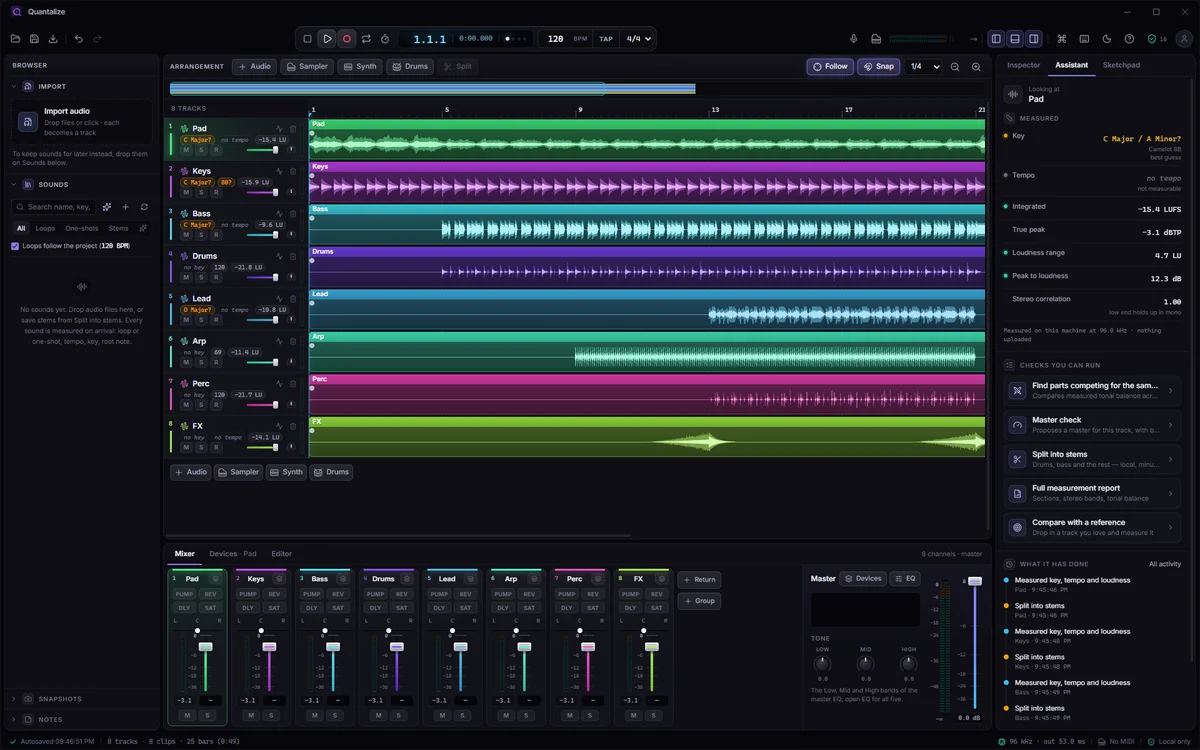
The studio
Drop in audio and every file becomes a track, measured as it lands: key, tempo and loudness. Build the mix with effects chains, sends and returns, groups, sidechain and automation lanes, then export a WAV rendered through the same mixer you hear.
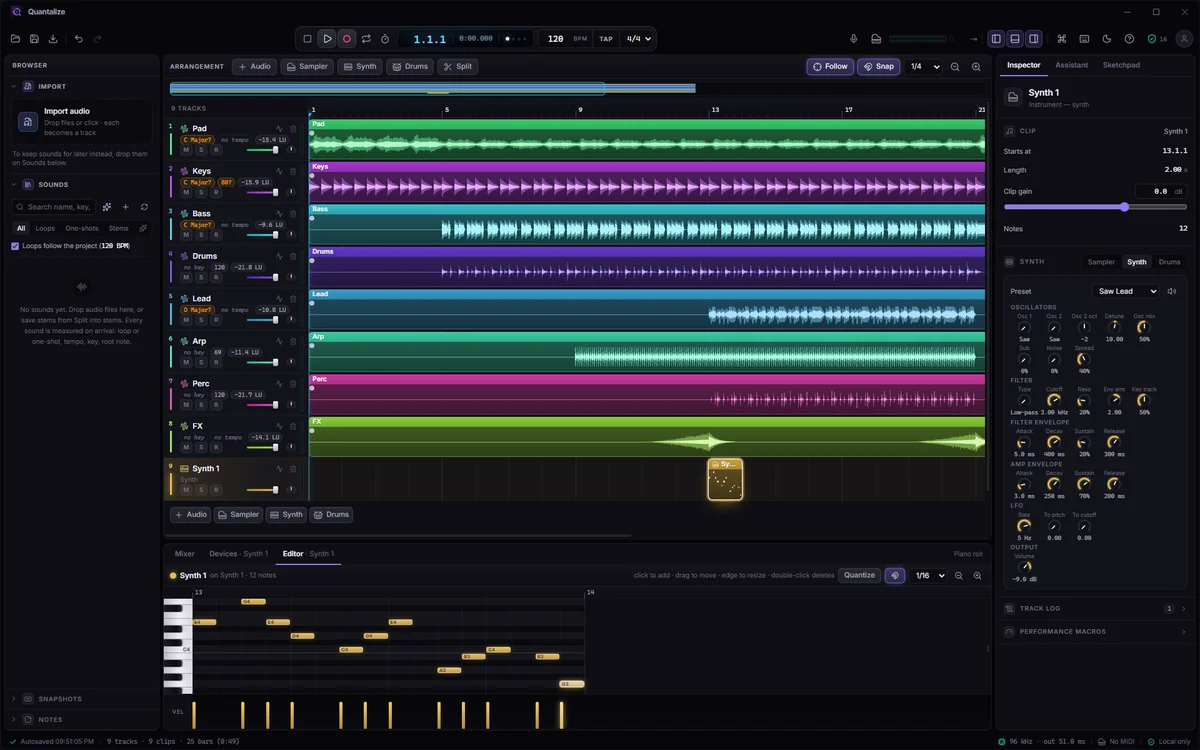
Instruments
Every instrument track plays through one of three: a two oscillator synth with its own filter, envelopes and LFO, a sixteen pad drum machine, or a sampler with your own sounds. Draw notes in the piano roll, or play them live from a MIDI keyboard.
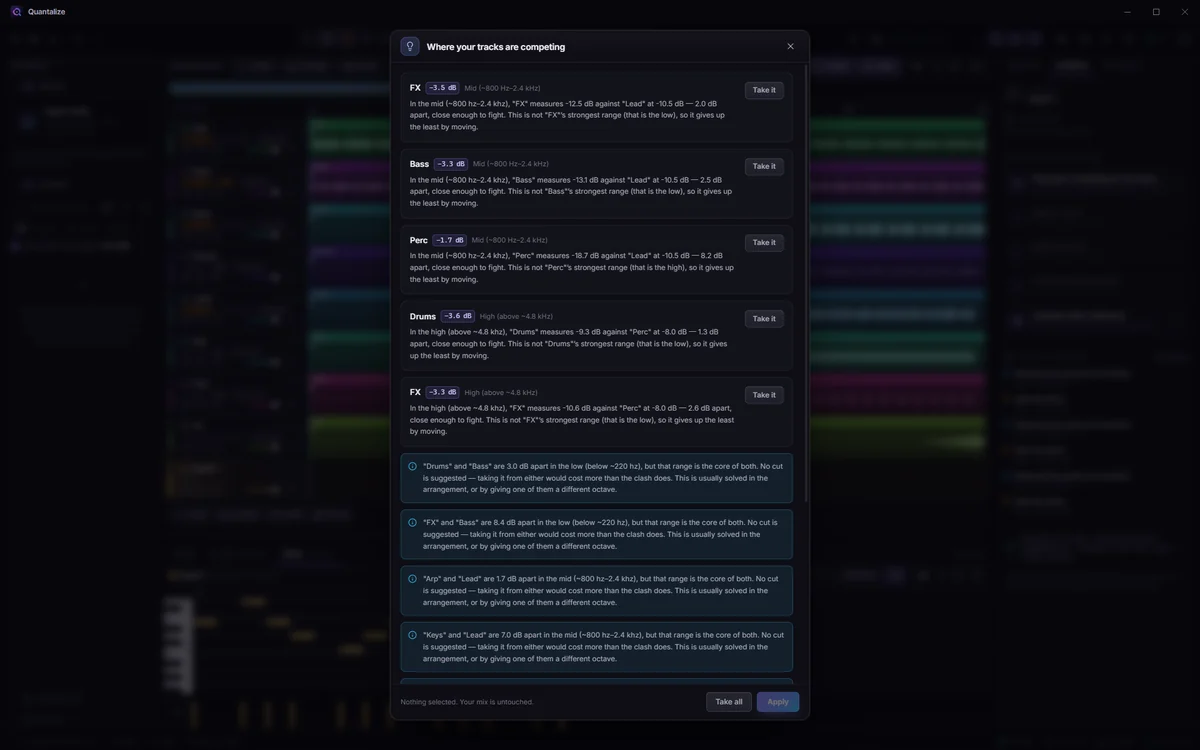
The assistant
Ask where your tracks compete and it lists each clash with the measurement behind it. Take one suggestion, all of them, or none: your mix stays exactly as it was until you apply. Every measurement runs on your own machine.
Quanta Elysium · pictures
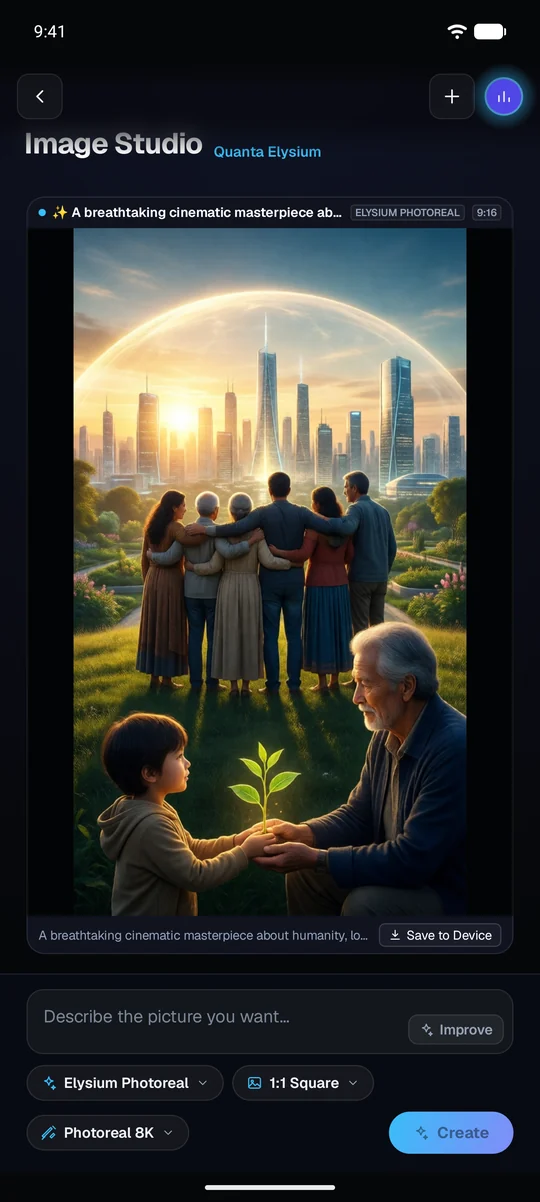
Quanta Elysium makes the pictures in every Image Studio — on the web, on your phone and in Quanta Sync. These three were made in the studio, unedited.



Quanta for Android · closed testing
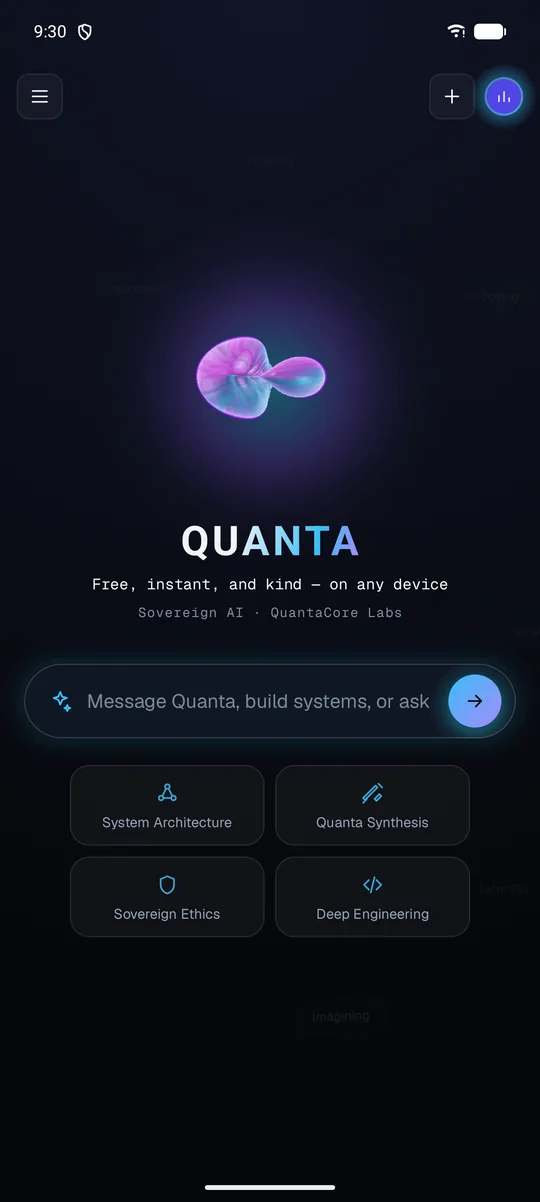
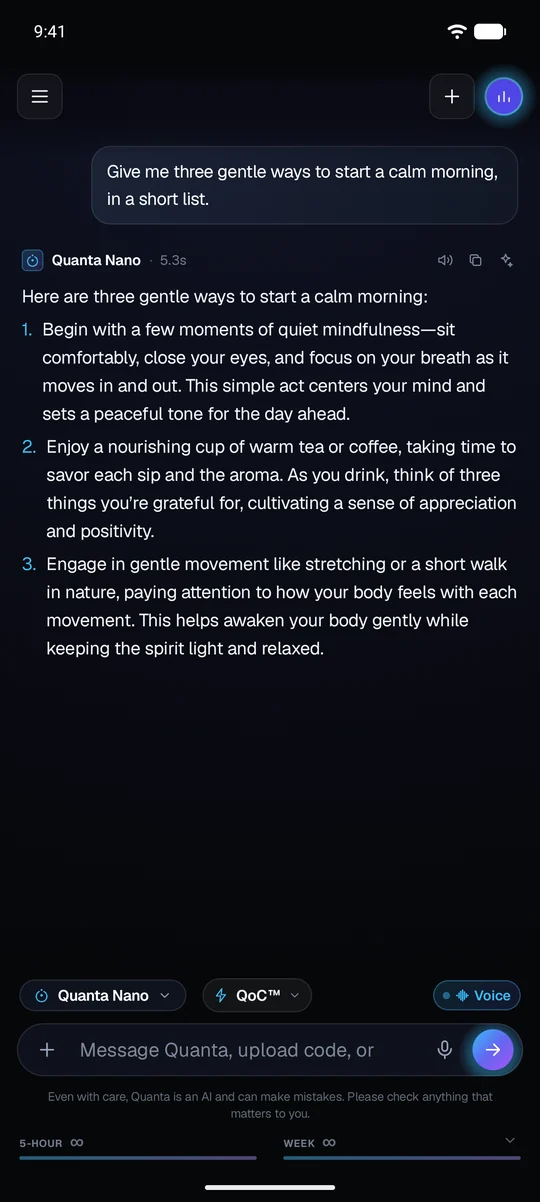
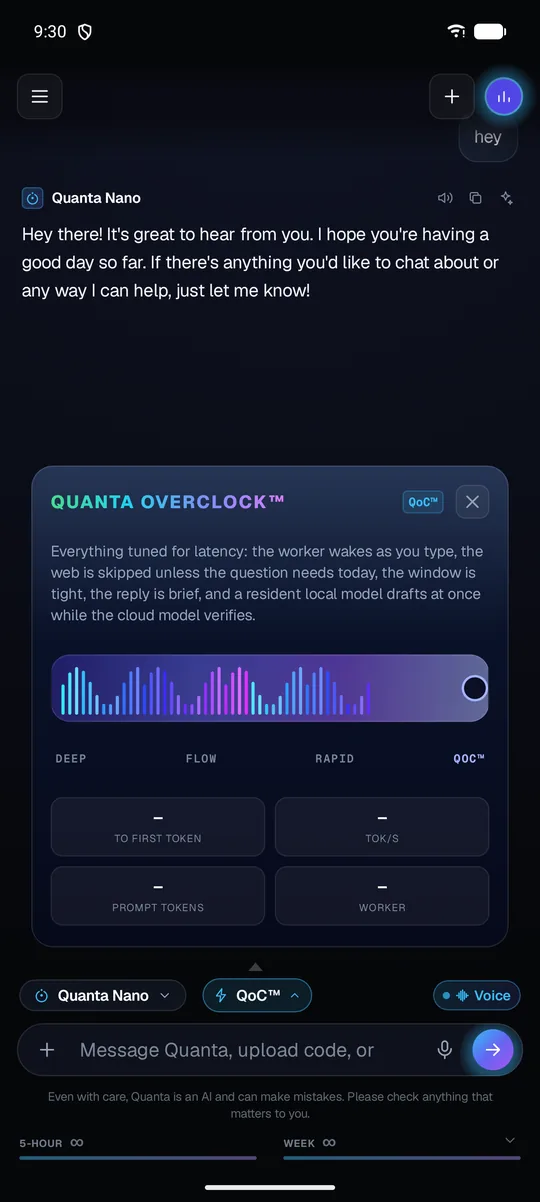
Not a companion to the web app: the same models, the same account, the same Code — built for the phone, in testing on Google Play now.
Quanta Sync · what changed
Installed apps update themselves. Open any version to see what it brought.
Your keys stay in your machine's vault, local models never leave it, and the browser extension reads a page only when you ask. Your account holds only what you make while signed in, and you can remove it.
Built by QuantaCore Labs. Every Quanta model carries the Foundational Code of Ethics.